

uni-app:登录与支付--用户信息
创始人
2025-05-31 08:23:47
用户信息
实现用户头像昵称区域的基本布局
-
在
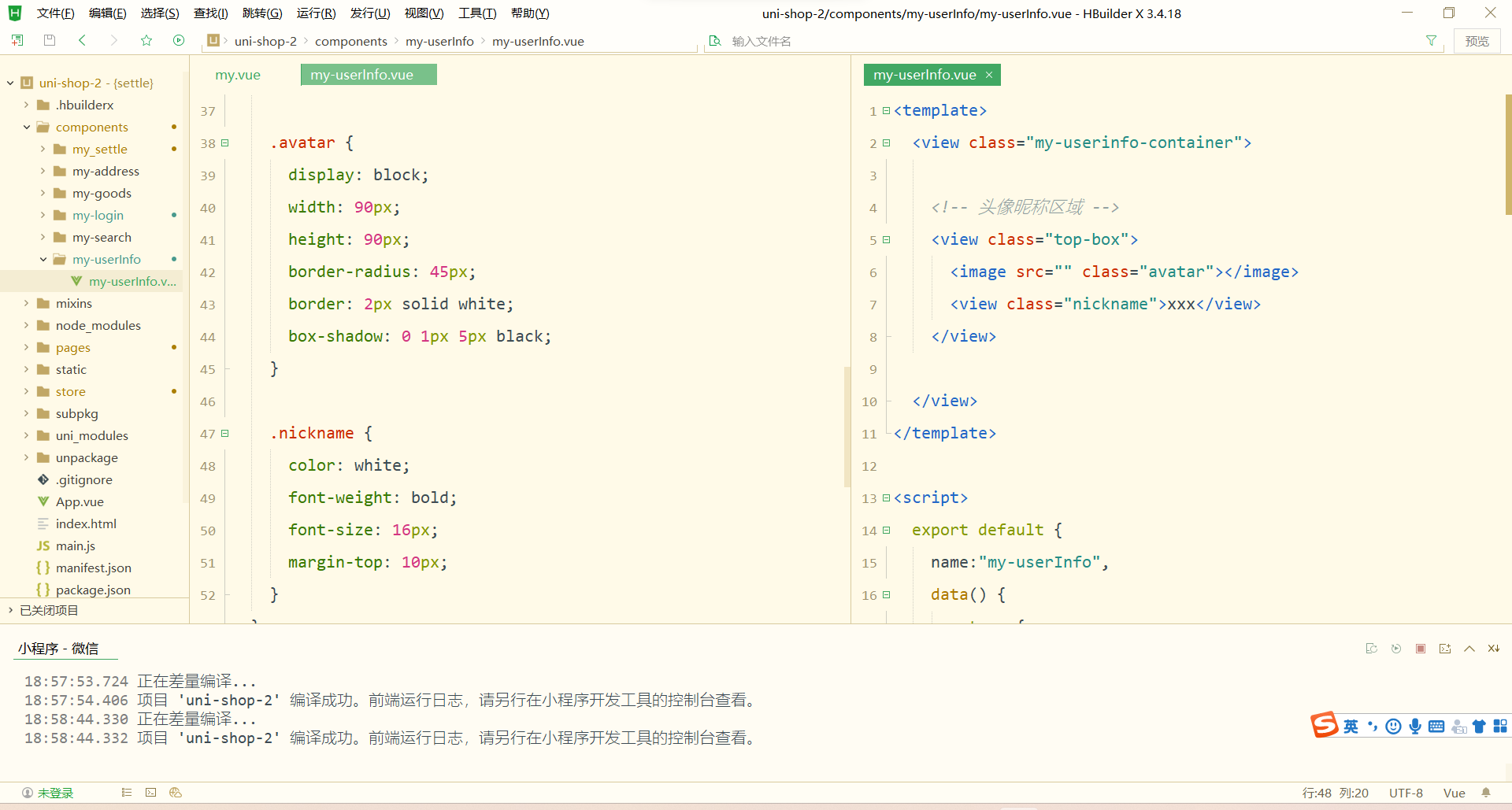
my-userinfo组件中,定义如下的 UI 结构:
xxx 美化当前组件的样式:
.my-userinfo-container {height: 100%;// 为整个组件的结构添加浅灰色的背景background-color: #f4f4f4;.top-box {height: 400rpx;background-color: #c00000;display: flex;flex-direction: column;align-items: center;justify-content: center;.avatar {display: block;width: 90px;height: 90px;border-radius: 45px;border: 2px solid white;box-shadow: 0 1px 5px black;}.nickname {color: white;font-weight: bold;font-size: 16px;margin-top: 10px;}}
}
在 my.vue 页面中,为最外层包裹性质的 view 容器,添加 class="my-container" 的类名,并美化样式如下:
page,
.my-container {height: 100%;
}
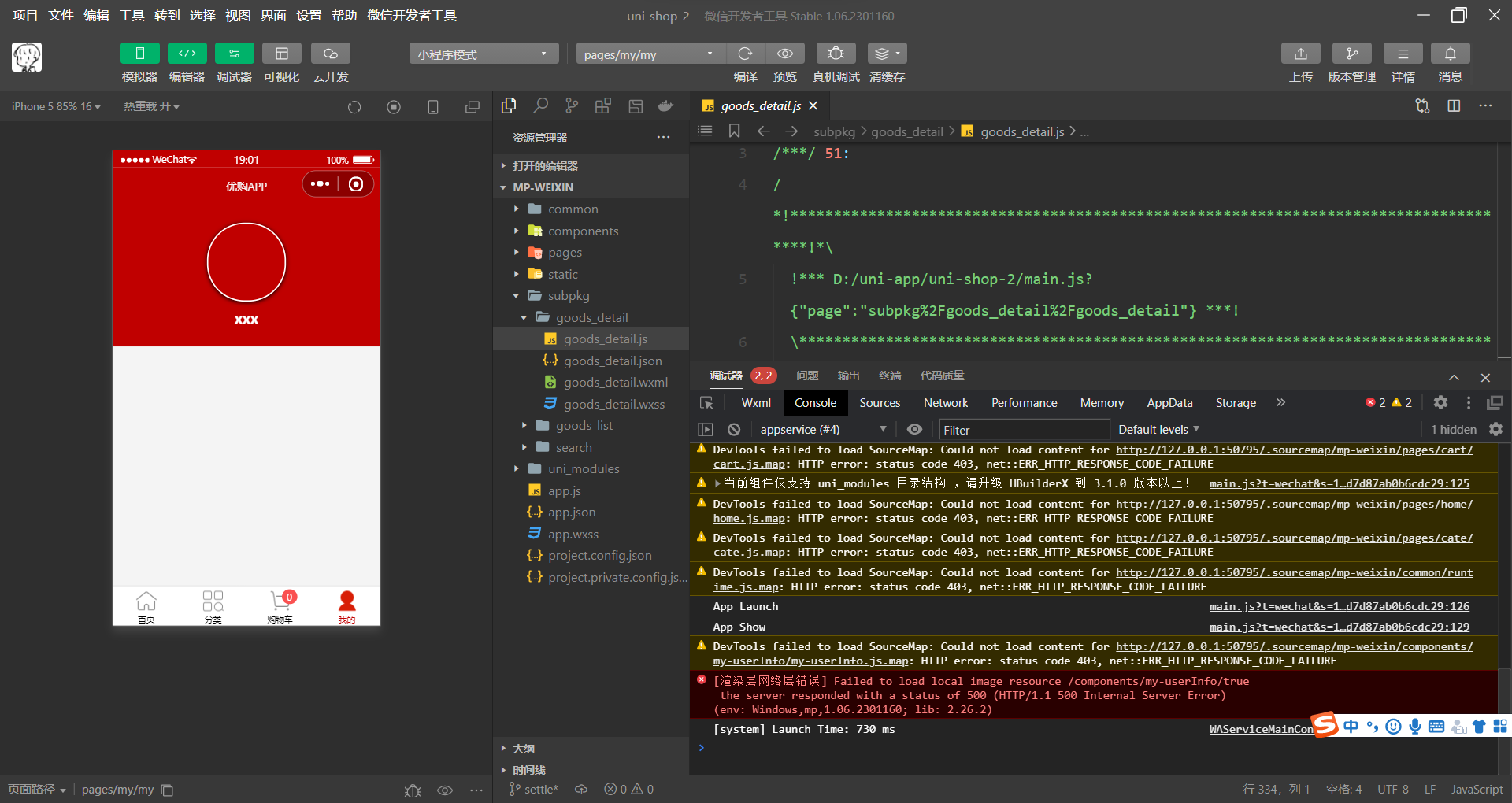
渲染用户的头像和昵称
-
在
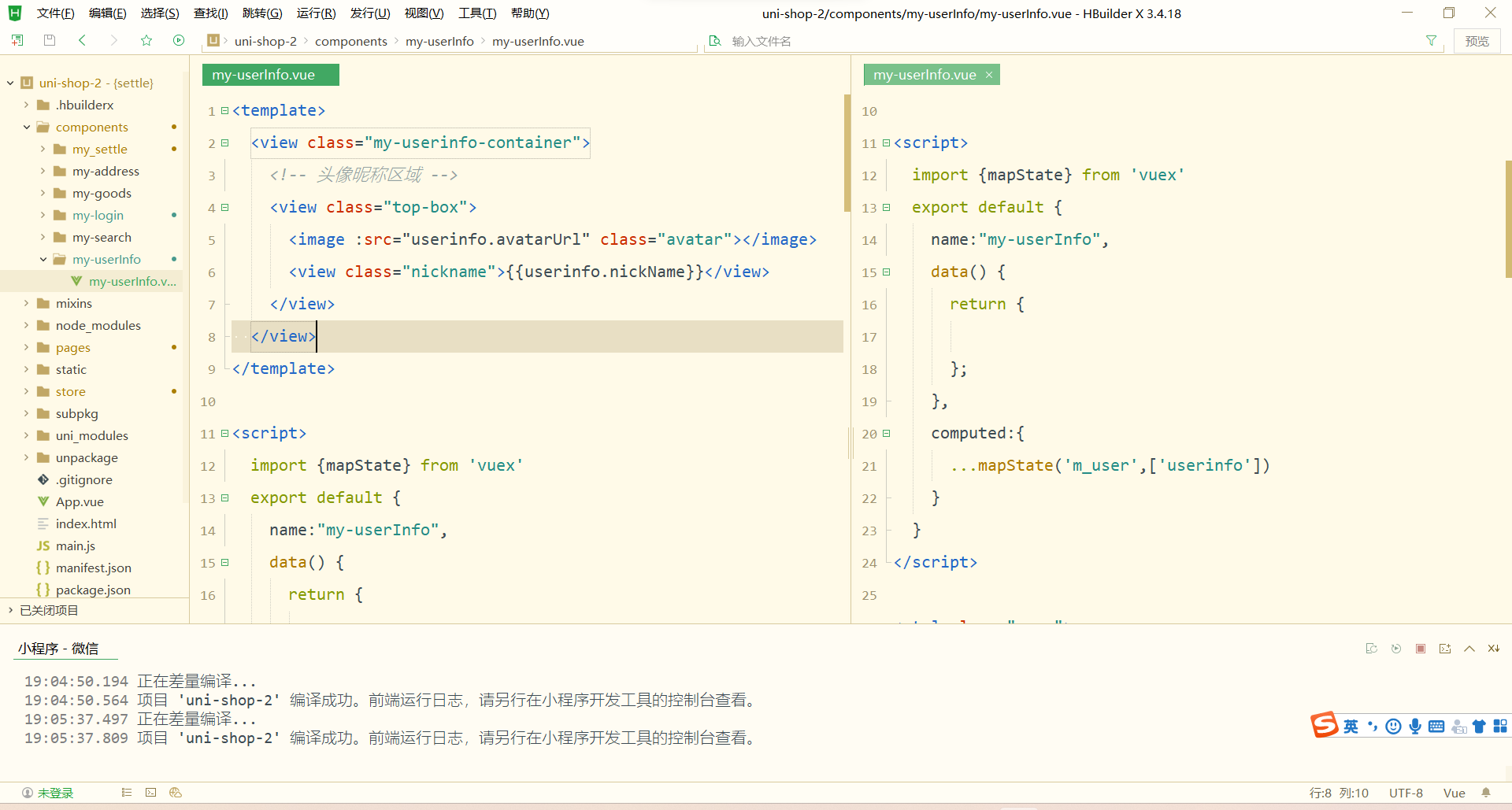
my-userinfo组件中,通过mapState辅助函数,将需要的成员映射到当前组件中使用:
// 按需导入 mapState 辅助函数
import { mapState } from 'vuex'export default {computed: {// 将 m_user 模块中的 userinfo 映射到当前页面中使用...mapState('m_user', ['userinfo']),},data() {return {}},
}
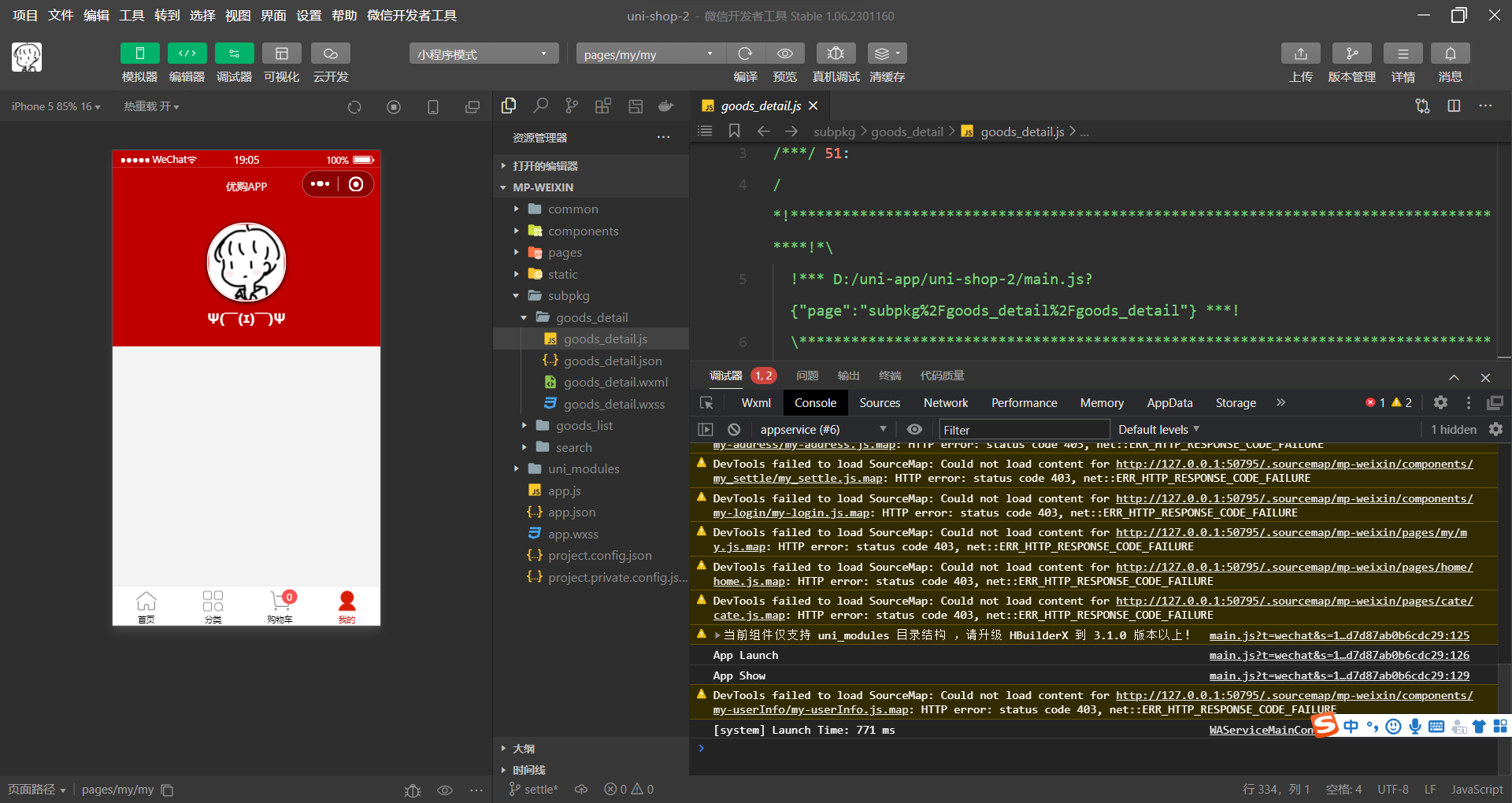
将用户的头像和昵称渲染到页面中:
{{userinfo.nickName}}
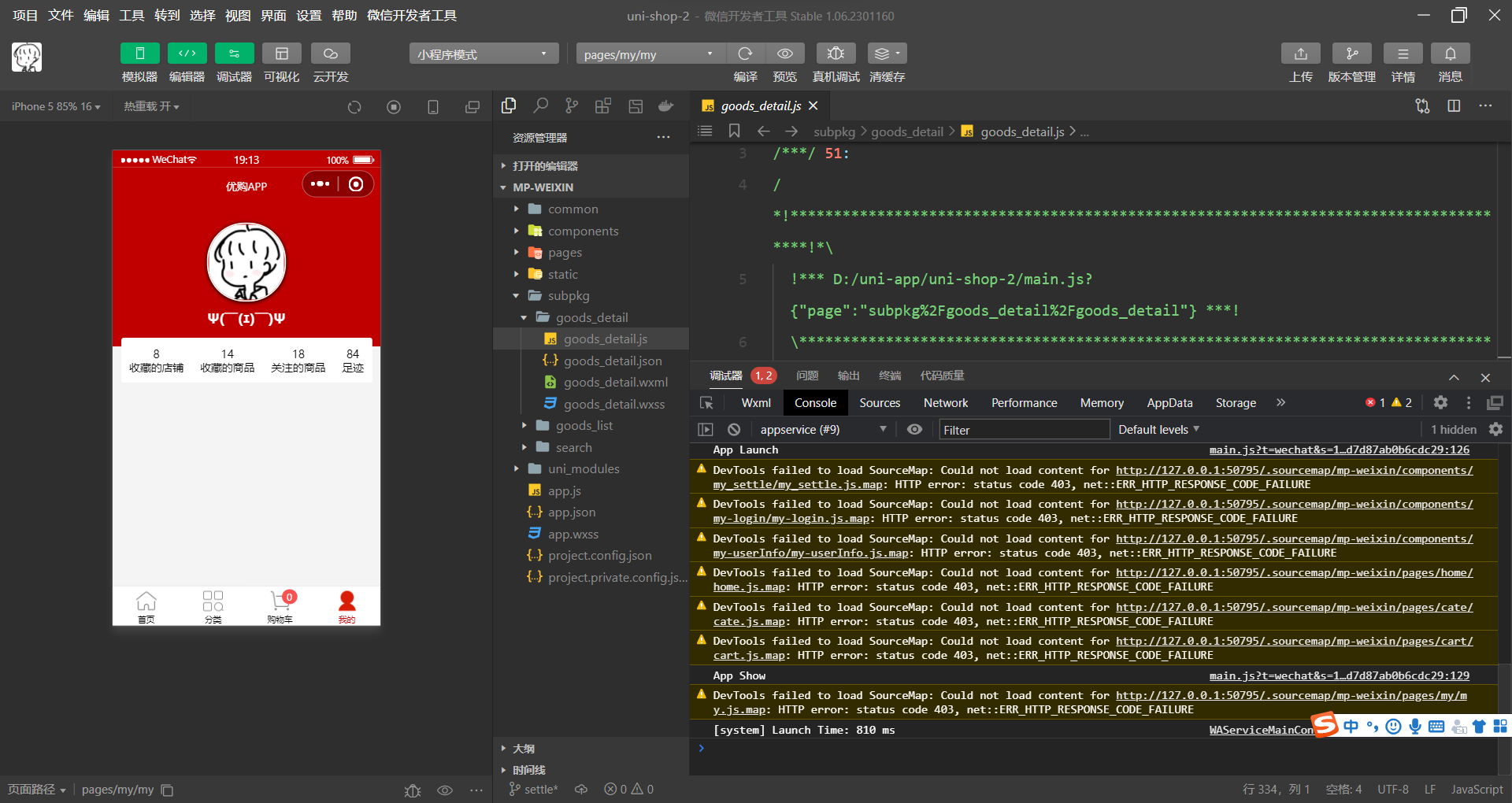
渲染第一个面板区域
在 my-userinfo 组件中,定义如下的 UI 结构:
8 收藏的店铺 14 收藏的商品 18 关注的商品 84 足迹 美化第一个面板的样式:
.panel-list {padding: 0 10px;position: relative;top: -10px;.panel {background-color: white;border-radius: 3px;margin-bottom: 8px;.panel-body {display: flex;justify-content: space-around;.panel-item {display: flex;flex-direction: column;align-items: center;justify-content: space-around;font-size: 13px;padding: 10px 0;}}}
}
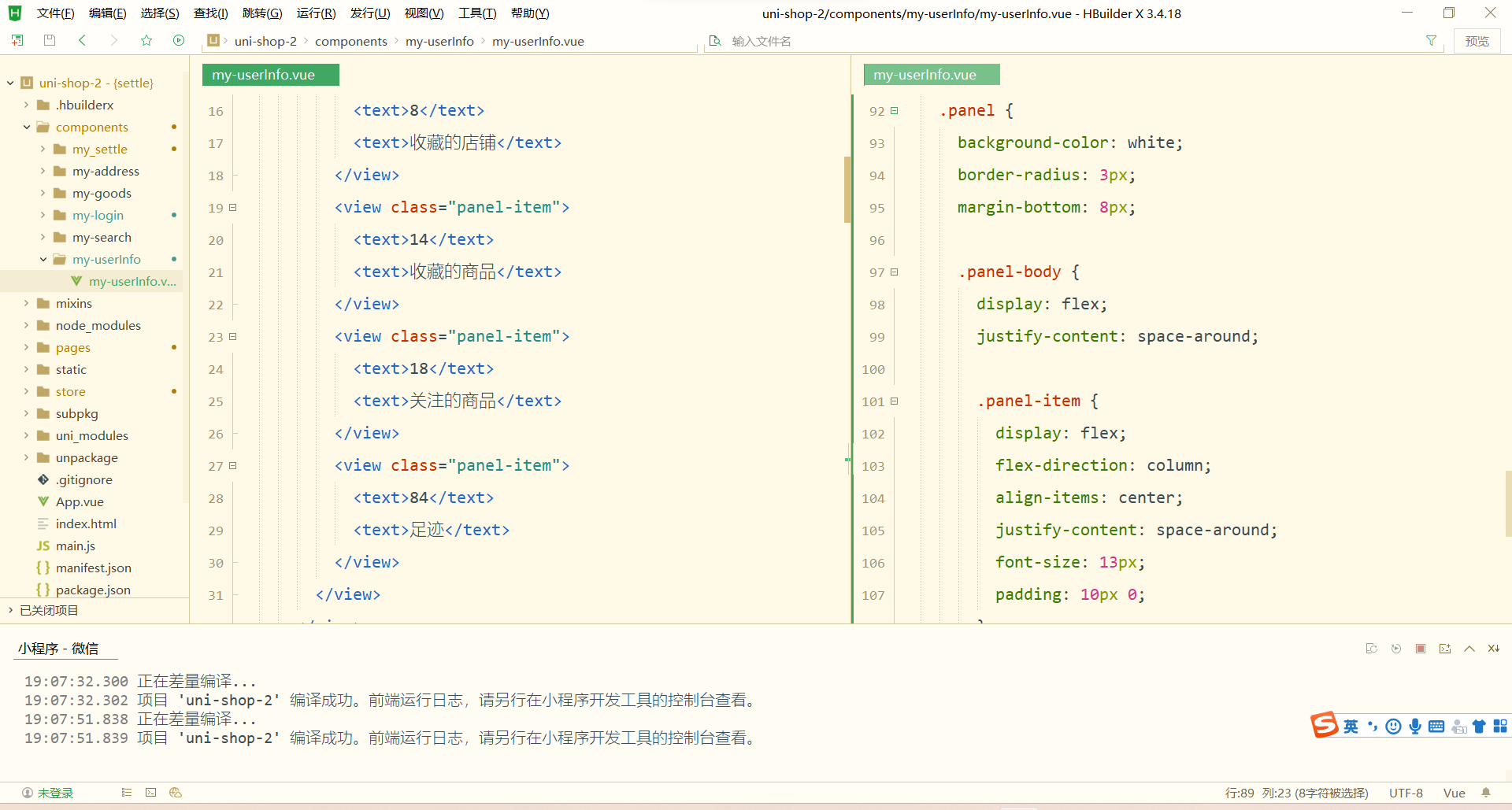
渲染第二个面板区域
-
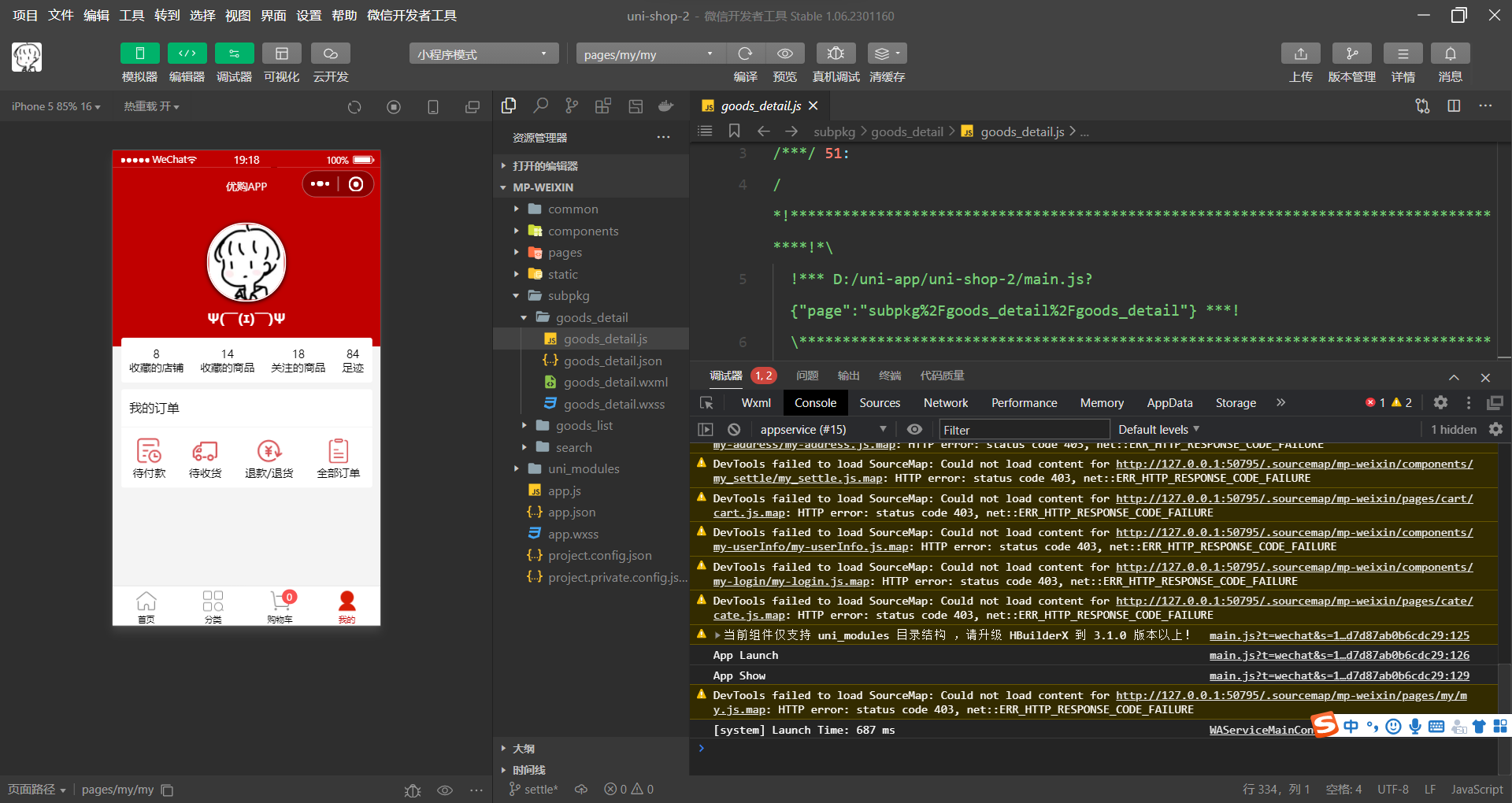
定义第二个面板区域的 UI 结构:
我的订单 待付款 待收货 退款/退货 全部订单 对之前的 SCSS 样式进行改造,从而美化第二个面板的样式:
.panel-list {padding: 0 10px;position: relative;top: -10px;.panel {background-color: white;border-radius: 3px;margin-bottom: 8px;.panel-title {line-height: 45px;padding-left: 10px;font-size: 15px;border-bottom: 1px solid #f4f4f4;}.panel-body {display: flex;justify-content: space-around;.panel-item {display: flex;flex-direction: column;align-items: center;justify-content: space-around;font-size: 13px;padding: 10px 0;.icon {width: 35px;height: 35px;}}}}
}
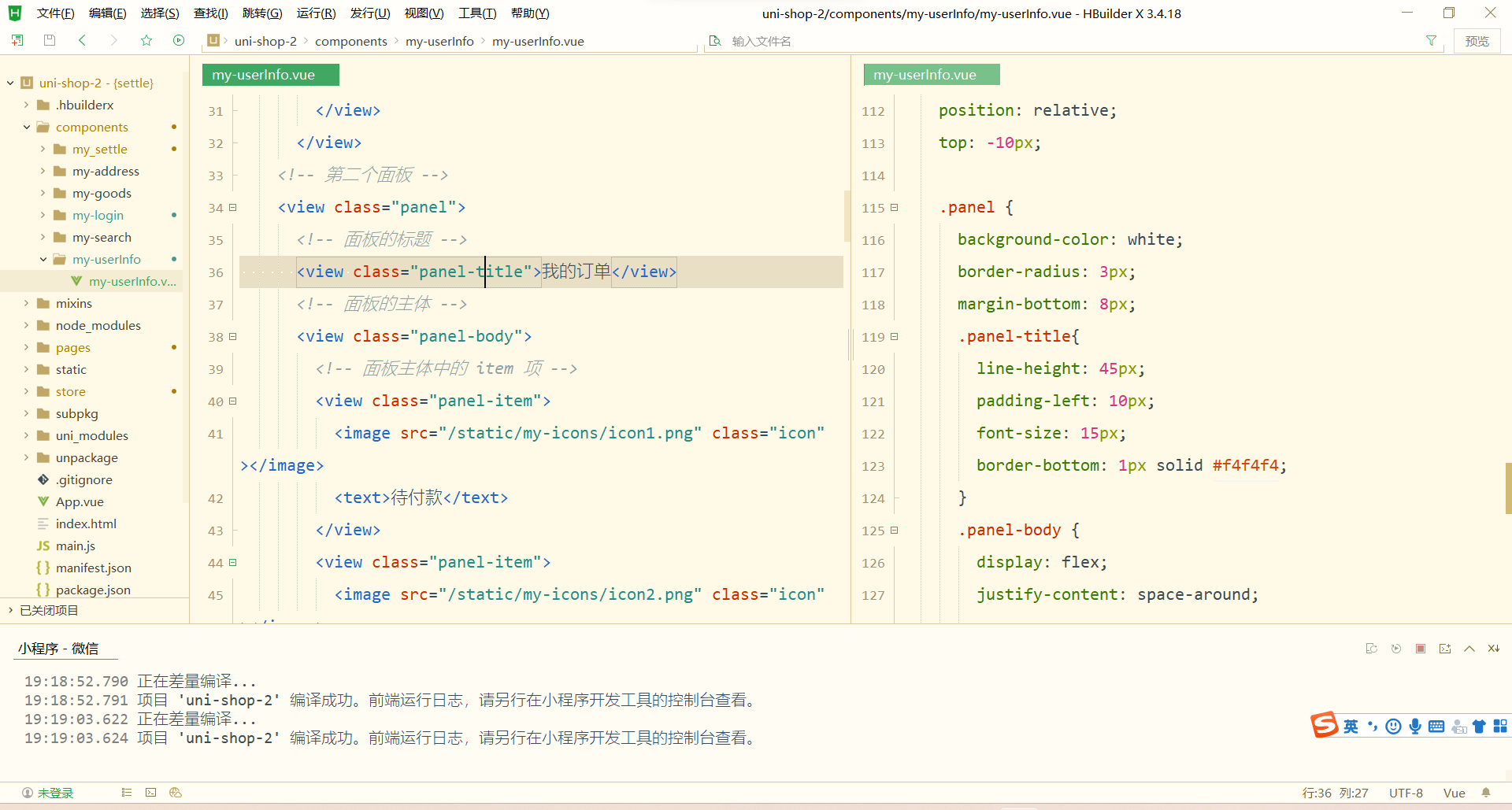
渲染第三个面板区域
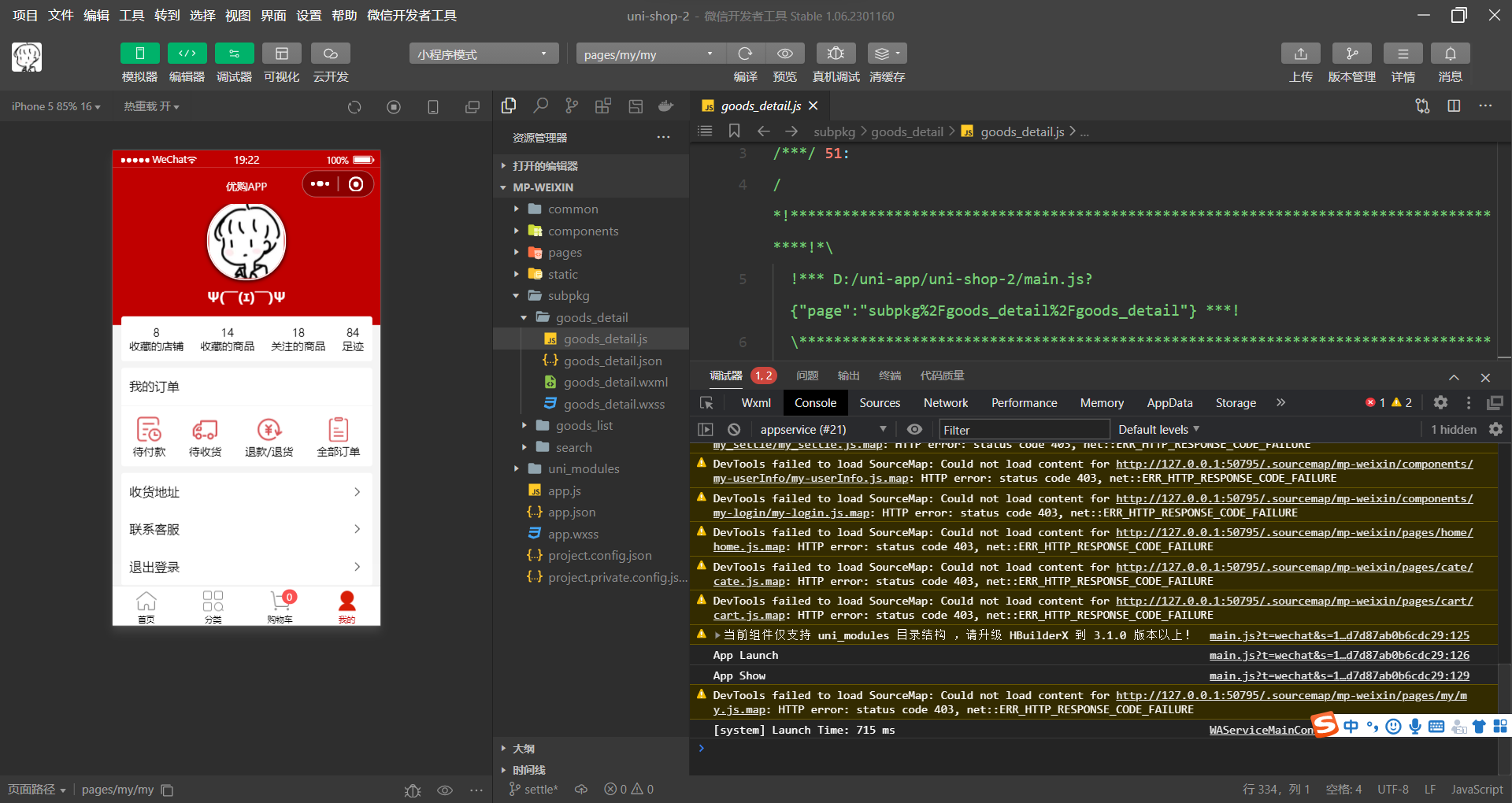
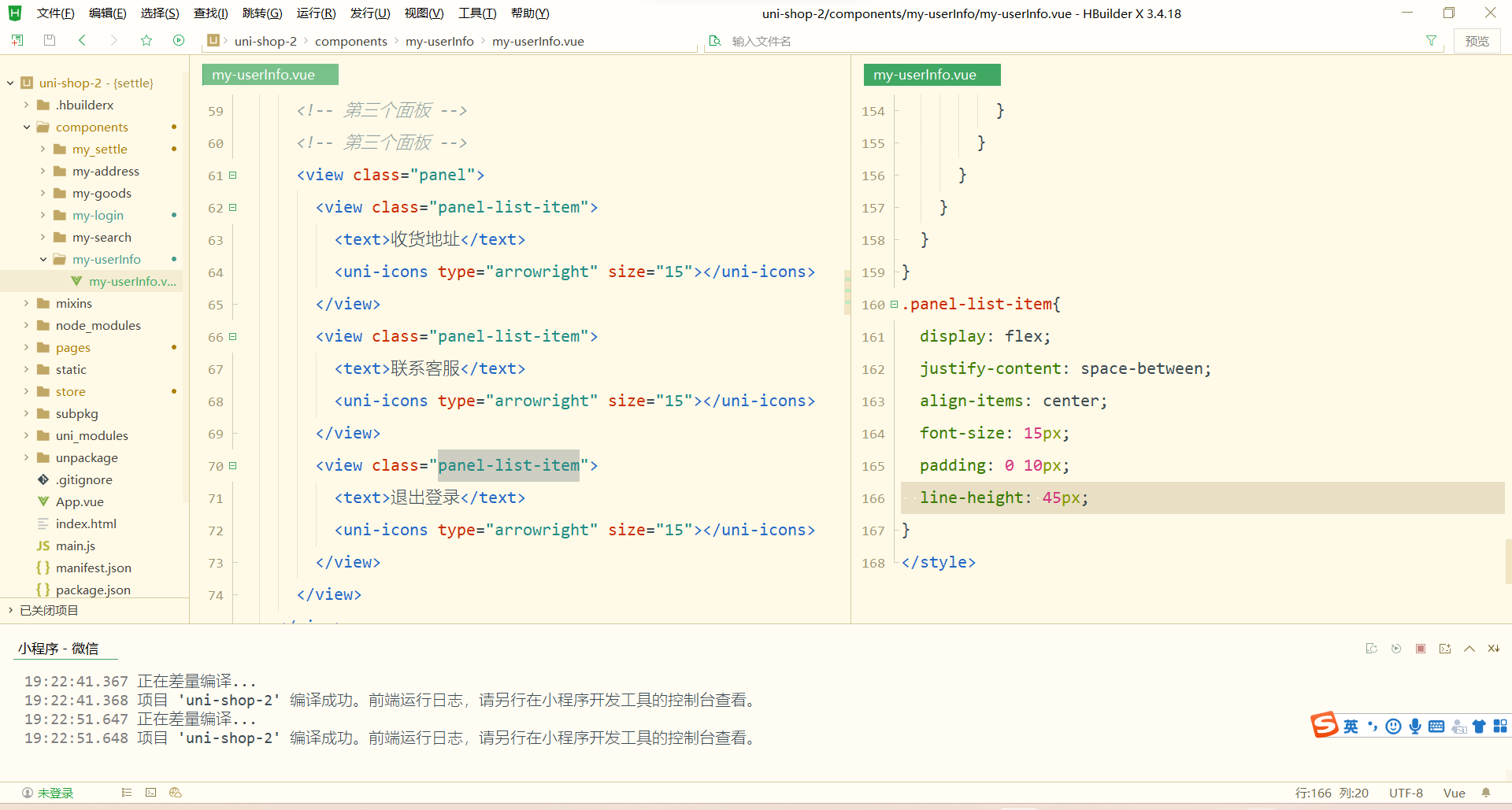
定义第三个面板区域的 UI 结构:
收货地址 联系客服 退出登录 美化第三个面板区域的样式:
.panel-list-item {height: 45px;display: flex;justify-content: space-between;align-items: center;font-size: 15px;padding: 0 10px;
}
 实现退出登录的功能
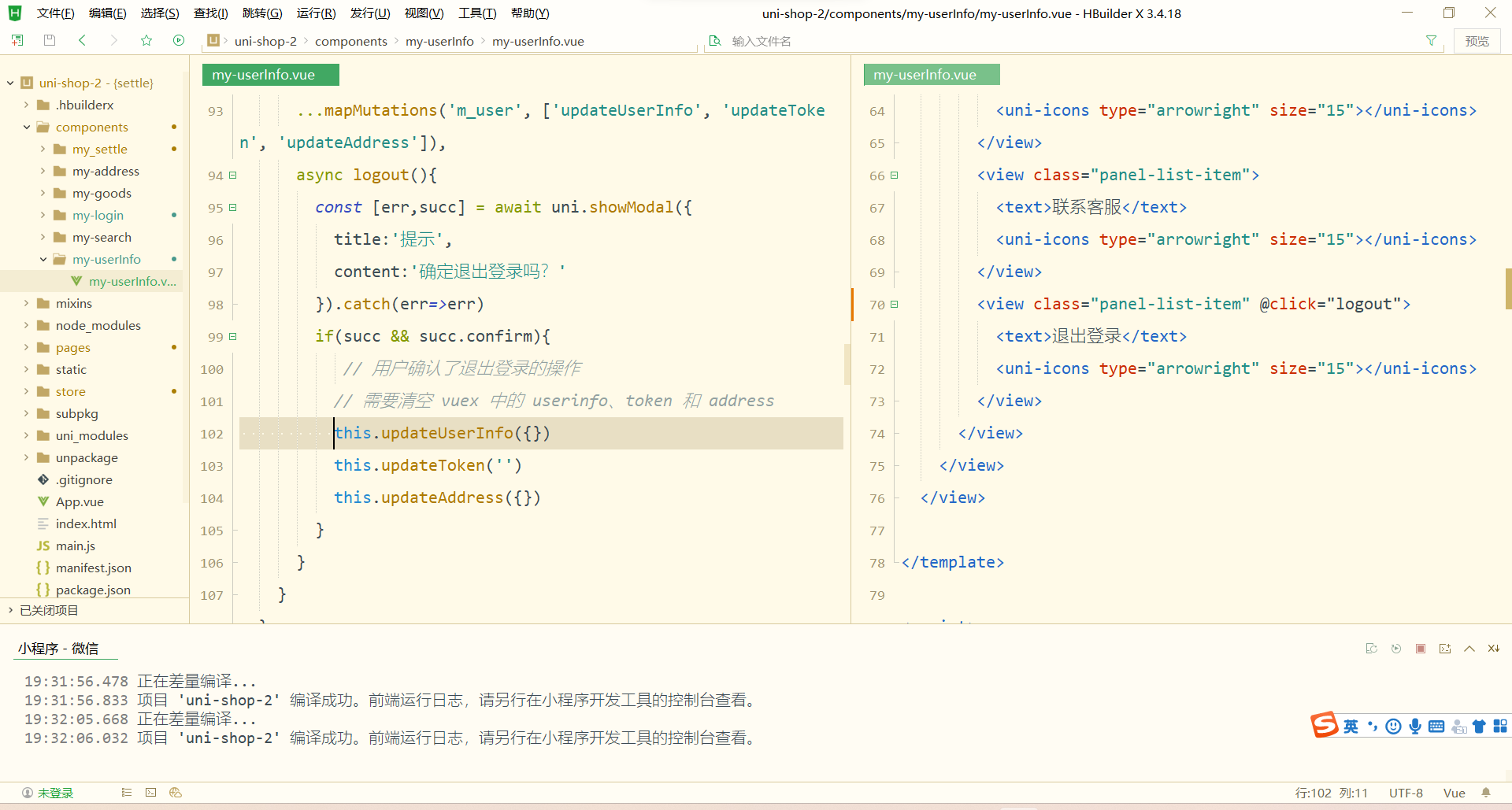
为第三个面板区域中的 退出登录 项绑定 click 点击事件处理函数:
退出登录 在 my-userinfo 组件的 methods 节点中定义 logout 事件处理函数:
// 退出登录
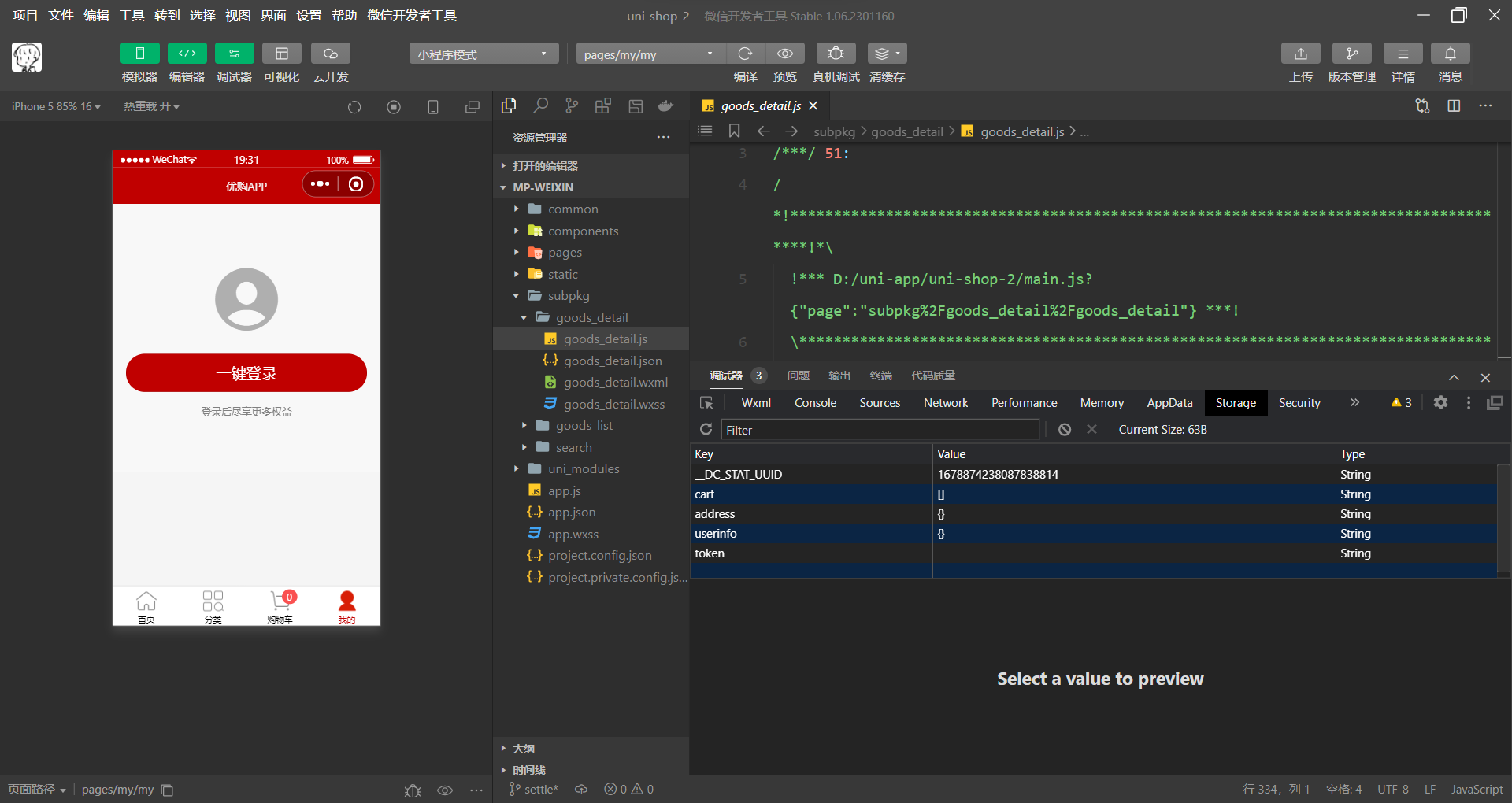
async logout() {// 询问用户是否退出登录const [err, succ] = await uni.showModal({title: '提示',content: '确认退出登录吗?'}).catch(err => err)if (succ && succ.confirm) {// 用户确认了退出登录的操作// 需要清空 vuex 中的 userinfo、token 和 addressthis.updateUserInfo({})this.updateToken('')this.updateAddress({})}
}
使用 mapMutations 辅助方法,将需要用到的 mutations 方法映射到当前组件中:
// 按需导入辅助函数
import { mapState, mapMutations } from 'vuex'export default {methods: {...mapMutations('m_user', ['updateUserInfo', 'updateToken', 'updateAddress']),},
}
相关内容
热门资讯
一年一度宝坻年夜饭大赛开席!看...
一年一度年夜饭 大赛来啦 宝子们,春节气氛组已就位! 宝坻年夜饭PK大赛,也要...
新春走基层·山乡新貌|云南大理...
云南大理云龙漕涧镇的大坪村,藏在白族山区的褶皱里。 进了腊月,大坪村的年味就藏不住了,最先冒头的,是...
新春赏味 清新桂花鱼“游”进花...
中新网广东新闻2月14日电 (记者 许青青)百节年为首,无鱼不成席。春节临近,清远市清新区以“桂花鱼...
“绥棱好物”亮相哈尔滨 优质农...
中新网黑龙江新闻2月15日电(记者 刘璐)“刚尝了一口螺旋藻米醋,清爽解腻,过年蘸饺子吃味道绝了!”...
今日除夕 年年有余丨有一种叫云...
▽以下是正文 除夕夜 最有仪式感的事情 莫过于一顿丰盛美味的年夜饭了 岁序常易,华章日新 年夜饭的...