

react中context传值和生命周期
创始人
2025-05-30 02:38:33
假设:
项目中存在复杂组件树:
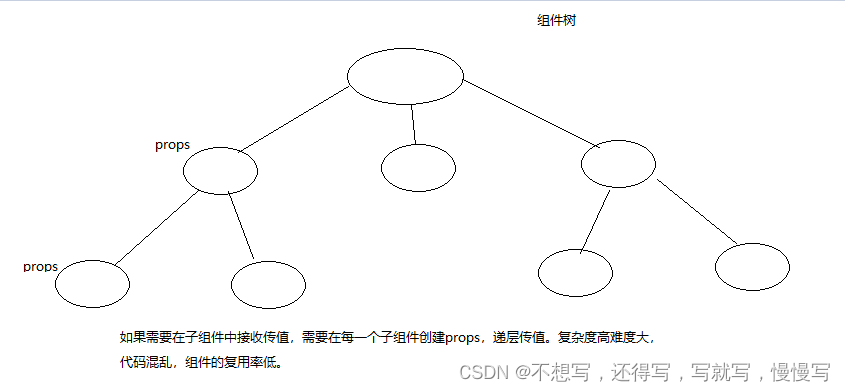
context传值用途
数据是通过 props 属性自上而下(由父及子)进行传递的,但这种做法对于某些类型的属性而言是极其繁琐的(例如:地区偏好,UI 主题),这些属性是应用程序中许多组件都需要的。
Context传值优点
Context 提供了一种在组件之间共享此类值的方式,而不必显式地通过组件树的逐层传递 props。
何时使用 Context
Context 设计目的是为了共享那些对于一个组件树而言是“全局”的数据,例如当前认证的用户、主题或首选语言。
ContextAPI
1.React.createContext API
功能:
创建一个 Context 对象。
//代码
//创建context对象的
import React from 'react'
let context=React.createContext();
export default context;2.Context.Provider API
功能:
Provider 是context对象提供的内置组件  限定在某个作用域中使用context传值。
限定作用域传值。3.Context.Consumer
context对象的内置组件
{value => /* 基于 context 值进行渲染*/}

作用:监听订阅的context变更,
这个函数接收当前的 context 值,返回一个 React 节点。
项目案例:主题色切换。
1.创建context.js文件创建context对象  用来做context传值。
//创建context对象的
import React from 'react'
export default React.createContext();
2。使用context找到限定范围使用内置组件Provider{/* 使用Provider 内置组件限定context范围 */}{/* value 必填 context传递的值 */}浏览器报错:

3.在使用context的组件中进行订阅
左侧菜单组件
import React, { Component } from "react";
console.log(Component);
//引入context对象
import ThemeContext from "../components/context";
class LeftMenu extends Component {constructor(props) {super(props);this.state = {};}render() {return (<>左侧菜单);}
}
//class类组件存在contextType 绑定context对象
LeftMenu.contextType = ThemeContext;
组件中绑定context之后使用:
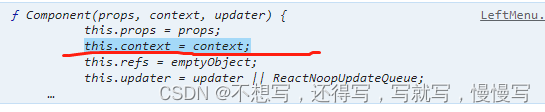
意味着订阅context组件的内部使用this.context获取。
render() {//获取contextlet theme = this.context;return (<>左侧菜单);}
固定主体修改为动态主体
修改了context文件代码
//定义默认主体色export const themes = {dark: {backgroundColor: "#000",color: "#fff",},light: {backgroundColor: "#fff",color: "#000",},
};//创建context对象的
import React from "react";
export const ThemeContext = React.createContext();
app.js文件中获取主题,动态切换主题。使用主题变量
constructor(props) {super(props);this.state = {//将固定的主体设置为state状态themeType: "dark",//控制主体切换nowTheme: themes["dark"],//获取当前默认主体};}render() {//解构获取let { nowTheme } = this.state;return (<>{/* 使用Provider 内置组件限定context范围 */}{/* value 必填 context传递的值 */}
订阅组件中使用this.context获取订阅

render() {//获取contextlet { backgroundColor, color } = this.context;return (<>//直接绑定行内css{ backgroundColor: backgroundColor, color: color }}>左侧菜单);}
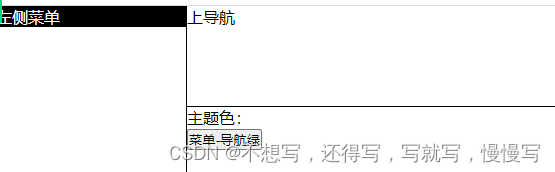
用户点击其他组件修改主题的按钮来变更主题
注意:不能直接使用this.context修改变量值
//可以在provider组件上 value中携带修改函数传递。在订阅组件中获取修改方法,执行反向传递值。
//修改主题变量方法changeTheme(type) {console.log("测试", type);this.setState({ themeType: type, nowTheme: themes[type] });}render() {//解构获取let { nowTheme } = this.state;return (<>{/* 使用Provider 内置组件限定context范围 */}{/* value 必填 context传递的值 */}{ ...nowTheme, handler: this.changeTheme.bind(this) }}>
添加自定义颜色
{/* 颜色选择器 */}背景色:
添加监听context变化
{/*监听context value值*/}{(value) => {let { backgroundColor, color } = value;return (<>背景色:{backgroundColor}文字色:{color});}}

类组件的生命周期
组件生命周期解释:组件初始化到销毁整个过程。
生命周期三类:
Mounting(挂载):已插入真实 DOM
Updating(更新):正在被重新渲染
Unmounting(卸载):已移出真实 DOM
第一个阶段:
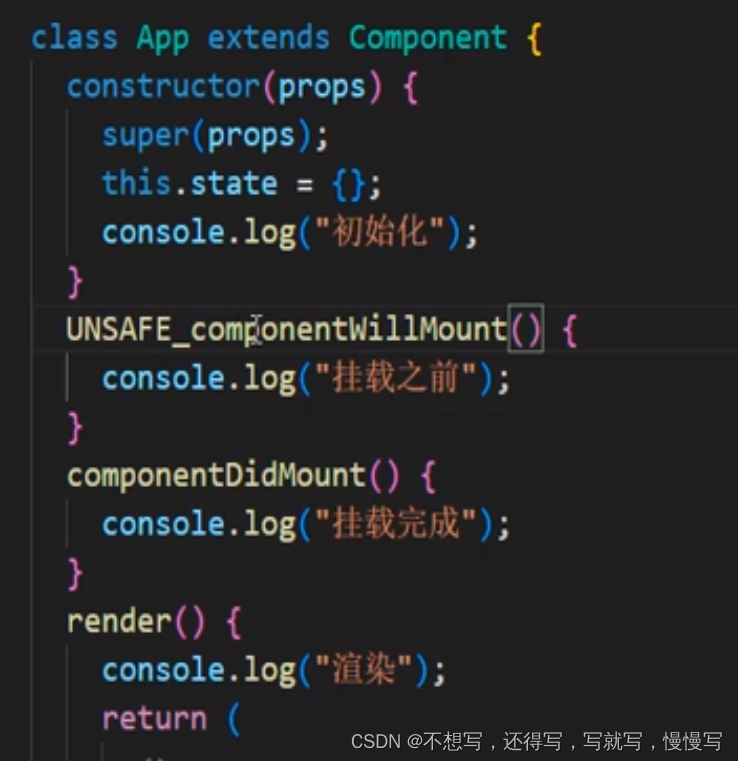
代码演示第一个阶段初始化挂载阶段
import React, { Component } from "react";class App extends Component {constructor(props) {super(props);this.state = {};console.log("初始化");}componentDidMount() {console.log("挂载完成");}render() {console.log("渲染");return (<>测试);}
}export default App;

添加了挂载之前周期
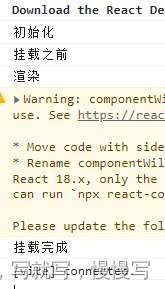
UNSAFE_componentWillMount() {console.log("挂载之前");}//18.x 版本中UNSAFE_ 前缀

第二个阶段:更新阶段
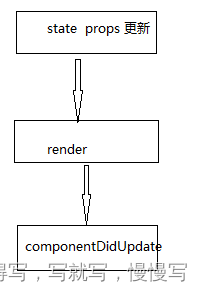
能触发类组件更新 props state

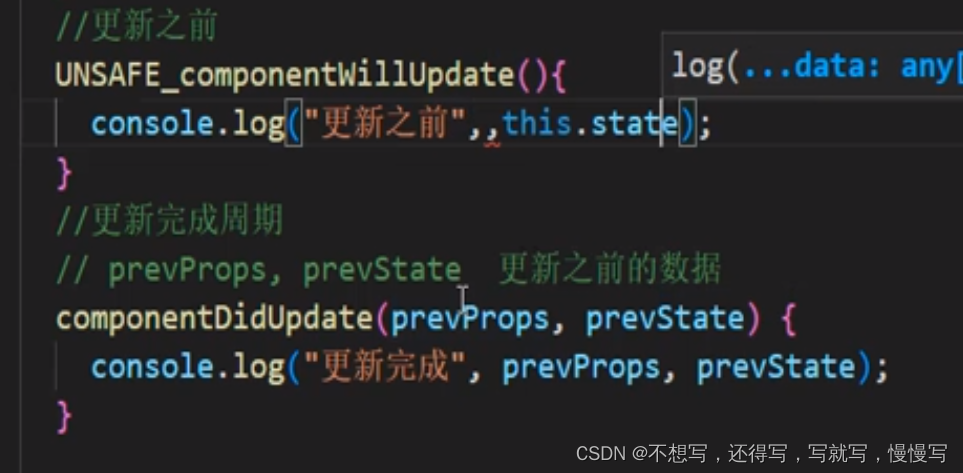
添加了更新之前周期
componentWillUpdate() {console.log("更新之前");
}
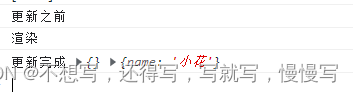
第三阶段卸载:

//卸载周期componentWillUnmount() {console.log("组件卸载");}
常用周期:

测试完成之后:18版本直接使用周期以上三个。
react推荐网络请求在componentDidMount
卸载清除副作用 componentWillUnmount
确认当前组件是否更新周期
//确认是否更新周期//必须带返回值 true false//提升性能shouldComponentUpdate(nextProps, nextState, nextContext) {console.log(nextProps);if (nextProps.name == this.props.name) return false;else return true;}不写该周期默认是执行更新
1.componentWillMount() - 在染之前执行,在客户端和服务器端都会执行.
2.componentDidMount() - 是挂在完成之后执行一次
3.componentWillReceiveProps() - 当从父类接收到 props 并且在调用另一个渲染器器之前调用。4.shouldComponentUpdatel) -根据特定条件返回 true 或 false如果你希望更新组件,请返回true 否则返它返回 false。
5.componentWillUpdate() - 是当前组件state和props发生变化之前执行
6.componentDidUpdate()-是当前组件state和props发生变化执行
7.componentWillUnmount0) - 从 DOM 卸载组件后调用。用于清理内存空间
上一篇:COALESCE函数
下一篇:C语言经典例题-结构体
相关内容
热门资讯
瑞幸X线条小狗上新「比利时黑巧...
封面图来源:瑞幸咖啡、喜茶、轻上轻颜 新产品 1、经典黑巧情人节返场!瑞幸咖啡×线条小狗上新「比利...
腊月二十七,宰鸡赶集,大吉大利...
大家好,今天是2026年2月14日,农历腊月二十七。民间有“腊月二十七,宰鸡赶大集”的习俗。 为什么...
小年和美食
快过年了,按中国习俗就是各种吃,直到元宵节后倒胃口。 前几天分别是北方小年和南方小年,大概也算是春节...
2026中国(云南)新春购物节...
中新网昆明2月13日电 (记者 缪超)记者13日从云南省商务厅获悉,“彩云好礼 马上有福”2026中...