

Linux搭建服务器之六:安装kafka
创始人
2025-05-28 06:59:57
windows安装kafka 请点击------》
https://blog.csdn.net/weixin_44039105/article/details/129240685?spm=1001.2014.3001.5502
安装jdk
https://blog.csdn.net/weixin_44039105/article/details/88045932?spm=1001.2014.3001.5502
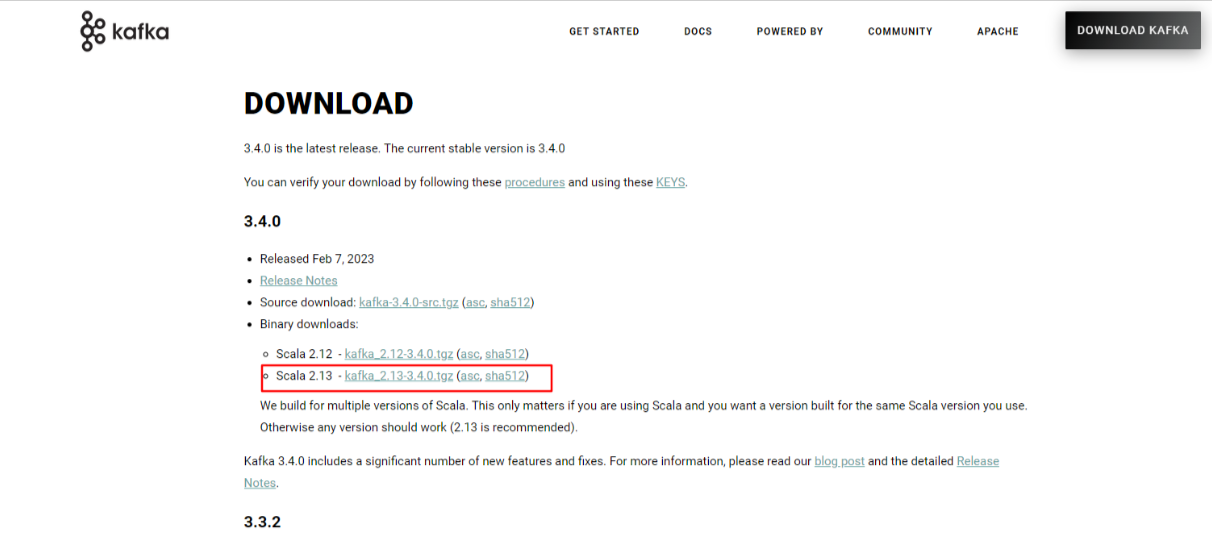
下载kafka
https://kafka.apache.org/downloads
上传linux
rz命令上传(如果不能用rz命令上传,安装一下rz命令 :yum install lrzsz)
解压,特定位置
tar -zxvf 压缩包名
修改配置文件
进入到config文件夹里面,找到server.properties文件,找到log.dirs,把位置设置自己能找到的地方即可
进入到config文件夹里面,找到zookeeper.properties文件,找到dataDir,同上
启动kafak(和windows命令如出一辙)
启动kafka的前提是启动zookeeper
将目录切换到和bin文件夹同级进行运行命令
#1.启动zookeeper(需要单独窗口运行)
./bin/zookeeper-server-start.sh ./config/zookeeper.properties
#2.启动kafka(需要单独窗口运行)
./bin/kafka-server-start.sh ./config/server.properties
#3.新建topic  testTopic
./bin/kafka-topics.sh --create --bootstrap-server localhost:9092 --replication-factor 1 --partitions 1 --topic testTopic
#4.查看所有topic
./bin/kafka-topics.sh --list --bootstrap-server  localhost:9092
#5.启动生产者 testTopic(单独窗口运行)
./bin/kafka-console-producer.sh  --broker-list localhost:9092 --topic testTopic
#6.启动消费者 testTopic(单独窗口运行)
./bin/kafka-console-consumer.sh --bootstrap-server localhost:9092 --topic testTopic --from-beginning
允许外网访问
config 中server.properties文件
#listeners=PLAINTEXT://:9092 (配置内网)
listeners=PLAINTEXT://192.168.1.23:9092
#advertised.listeners=PLAINTEXT://your.host.name:9092 (配置外网)
advertised.listeners=PLAINTEXT://10.32.2.34:9092
外网即可访问成功
上一篇:(十六)风险管理规范
相关内容
热门资讯
“山里的凌云”将亮相深圳文博会...
本文转自:人民网-广西频道 5月21日至25日,凌云县将组团参加第二十二届中国(深圳)国际文化产业博...
金枕凝甜,芝士缠绵,一张烤饼锁...
住的地方离菜市场不远,天气好的时候,溜达过去买点东西还挺方便。那天路过水果摊,看见金枕榴莲堆得跟小山...
李源 资深级中国烹饪大师 陕菜...
李源,1961年出生,陕西华县人,中共党员,中式烹调高级技师,陕西省技术能手、陕西省财贸系统业务技术...
吃对饭,身体会谢谢你:几个不用...
你有没有这种感觉:一说“健康饮食”,脑子里先蹦出来的全是“痛苦”——水煮鸡胸肉、生啃西兰花、啥调料都...